Automation Doesn’t End at Go-Live: Planning for the Full System Lifecycle

For a warehouse automation project, go-live can feel like the finish line. After months or even years of planning, engineering, installation, testing, and commissioning, the new system is finally running.
But the opening day of an automated system could represent only a small fraction of its useful life.
Decisions made before and shortly after go-live can influence how reliably the system performs years later, how expensive it is to maintain, how easily it can adapt to operational changes, and when major capital investments will be required again.
That is why lifecycle planning should be part of the automation strategy from the beginning. Instead of asking only, “What will it take to get this system running?”, organizations should also be asking, “What will it take to keep this system productive for years to come?”
What Is Warehouse Automation Lifecycle Planning?
Warehouse automation lifecycle planning is the process of preparing for the long-term operation, maintenance, support, optimization, modernization, and eventual replacement of an automated system.
It considers much more than equipment maintenance. A complete lifecycle strategy can account for mechanical equipment, electrical components, controls, software, spare parts, employee knowledge, vendor support, cybersecurity requirements, changing operational demands, and future capital investment. That broader perspective is important because these parts of the system rarely age at the same rate.
A conveyor may remain mechanically sound while its controls platform approaches obsolescence. A robotic system may continue performing well while replacement components become harder to source. Software may require an upgrade even though the equipment it controls has years of useful life remaining. Lifecycle planning prepares the operation for those differences before they become emergencies.
Go-Live Changes the Questions You Need to Ask
Before go-live, the focus is understandably on implementation. Is the system installed correctly? Has testing been completed? Are throughput requirements being met? Is the operation ready for startup?
Once the system begins running, the questions change. Teams should start considering:
- What does normal system performance look like?
- Which components would create the greatest operational impact if they failed?
- Which spare parts need to be kept on-site?
- Who can troubleshoot each part of the system?
- What maintenance is needed, and at what intervals?
- Which hardware and software components have shorter support lifecycles?
- How will the system accommodate future growth or operational changes?
- What should be included in future capital budgets?
Answering these questions early creates a baseline for making better decisions throughout the system’s life.
Maintenance Shouldn’t Start With a Failure
One of the easiest traps after implementation is allowing maintenance to become primarily reactive. Something fails. Operations calls maintenance. A technician troubleshoots the problem, replaces the component, and production resumes. The immediate problem is solved, but the underlying maintenance strategy may not have improved.
A more mature approach moves progressively from reactive to preventive and, where the system supports it, condition-based or predictive maintenance. Maintenance Check: From Reactive to Predictive by MHI describes this same progression, including using equipment data such as changes in operating conditions to identify potential maintenance needs before they result in failure.
The important question isn’t simply whether preventive maintenance is being performed. It is whether the maintenance program reflects how the system is actually operating.
A conveyor running two shifts per day may require a different strategy after the facility moves to three shifts. Equipment supporting peak-season volumes may experience different wear patterns than originally anticipated. Maintenance plans should evolve along with utilization. Over time, maintenance history should become an increasingly valuable source of information about system health.
Spare Parts Can Become a Hidden Source of Downtime
A technician may know exactly what failed and how to fix it, but the system can still remain down if the required component isn’t available. That makes spare-parts planning an important part of lifecycle management.
At startup, organizations should identify critical and consumable components and determine which ones warrant on-site inventory. That decision should consider more than how frequently a part fails. For each critical component, consider:
- Lead time: How quickly could another component arrive?
- Operational impact: Would its failure stop the entire system or only a small portion?
- Redundancy: Can the operation continue if the component fails?
- Availability: Is the component widely available or dependent on a specific manufacturer?
- Obsolescence: How likely is availability to change during the system’s expected life?
Answers can change over time, so the spare-parts strategy established at startup shouldn’t necessarily remain unchanged five or ten years later.
Don’t Overlook the Lifecycle of Controls and Software
When people think about aging warehouse automation, mechanical equipment often comes to mind first. But the mechanical system isn’t necessarily what will become obsolete first. PLCs, industrial PCs, drives, scanners, HMIs, networking equipment, operating systems, databases, and warehouse software platforms can all have lifecycles that differ substantially from the physical equipment.
Instead of waiting for obsolete technology to fail, lifecycle planning allows organizations to identify components approaching end of support and build their replacement into a planned modernization roadmap. That can turn an emergency replacement into a scheduled capital project.
Institutional Knowledge Has a Lifecycle, Too
Not every lifecycle risk is mechanical or digital. People are part of the system.
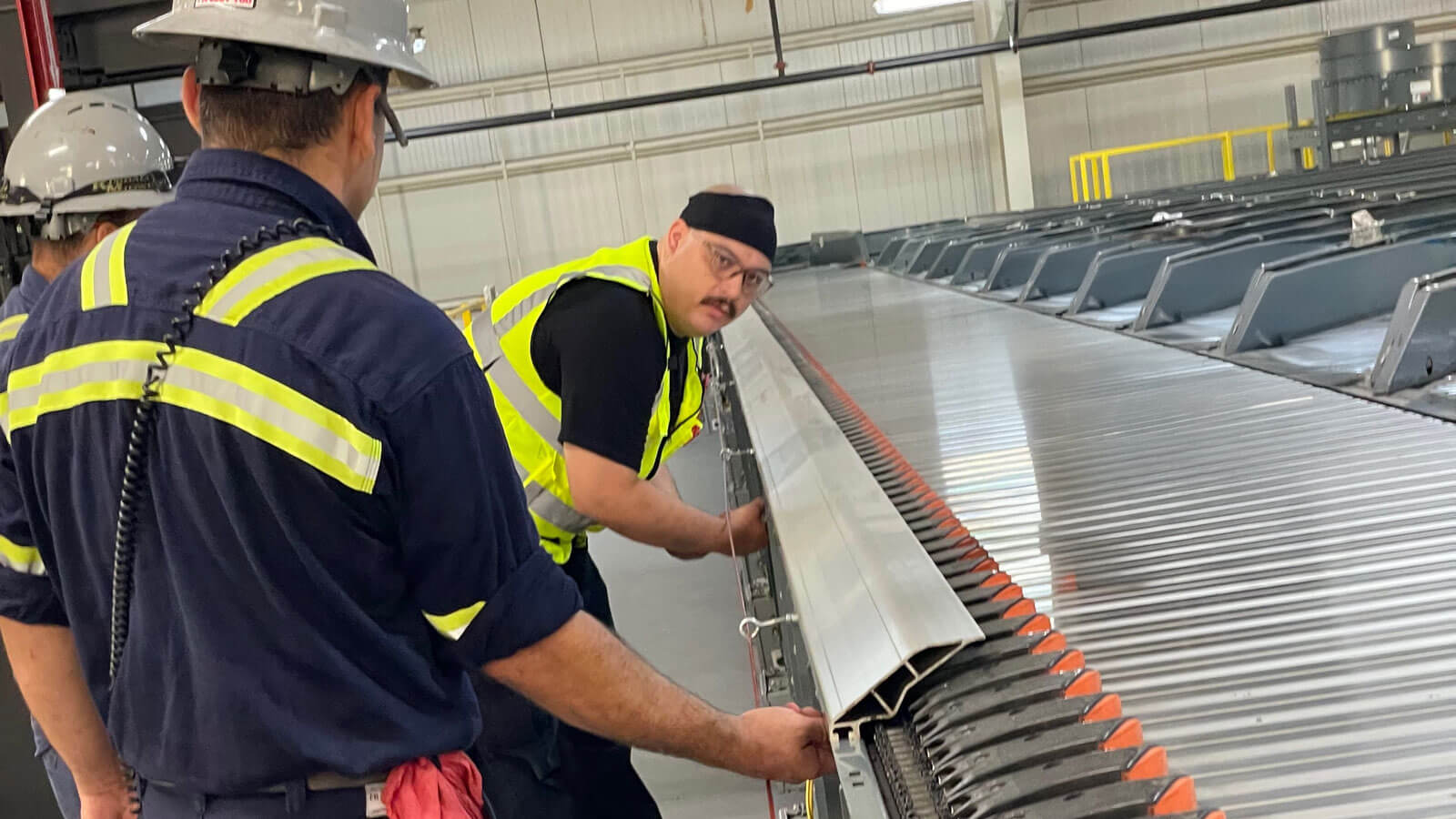
At go-live, operators and maintenance personnel may have just completed extensive training. Several years later, the picture could look completely different. Employees leave. Experienced technicians retire. New hires join the operation. Responsibilities shift. Integrations are added. Processes are modified. Meanwhile, knowledge about why certain decisions were made or how unusual problems were solved can slowly disappear.
Organizations should consider how institutional knowledge will be retained throughout the system’s lifecycle through resources such as:
- Current system documentation
- Troubleshooting procedures
- Maintenance records
- Cross-training between technicians
- Refresher and new-hire training
- Documentation of system modifications
This is particularly important for highly integrated systems where understanding how one subsystem interacts with another can be critical to diagnosing a problem.
Track the Problems Your System Is Telling You About
Every year of operation produces information that can make future maintenance and capital planning smarter.
Maintenance records can reveal recurring failures. Spare-parts consumption can expose components experiencing unexpected wear. Support calls may identify recurring controls or software problems. Equipment data may reveal gradual changes in system performance.
A computerized maintenance management system, or CMMS, can help centralize asset information, service history, work orders, parts inventory, and maintenance schedules. MHI notes that CMMS records can also help organizations evaluate whether recurring maintenance expenditures are reaching the point where overhaul or replacement should be considered.
Even without advanced predictive technologies, organizations can learn a great deal by periodically reviewing a few basic questions:
- Which assets created the most downtime during the past year?
- Which components required repeated repairs?
- Which parts were difficult or slow to obtain?
- Are maintenance requirements increasing?
- Are certain problems becoming more frequent?
- Has system throughput or utilization changed?
- Are current maintenance windows still adequate?
The goal is to identify patterns instead of treating every failure as an isolated incident.
Plan Modernization Before You Need Modernization
Eventually, every automation system changes. Sometimes the reason is age. Other times it’s growth. Order profiles may change. Throughput requirements may increase. New SKUs may be introduced. Another automation technology may need to connect to the existing system. Controls or software may need to be upgraded.
Organizations that don’t plan for these changes can eventually find themselves facing several modernization needs at once. A better approach is to maintain a multi-year lifecycle roadmap that identifies which parts of the operation are healthy, which should be monitored, and which are likely to require investment.
Not everything needs to be replaced simultaneously. In fact, one of the primary advantages of lifecycle planning is the ability to phase modernization intelligently, addressing the highest-risk components first while continuing to get value from assets that still have useful life. That can make modernization easier to budget and reduce the disruption associated with a large-scale replacement.
Some of the Biggest Lifecycle Risks Are Easy to Miss
The obvious lifecycle questions tend to involve maintenance and equipment replacement. But several less-visible considerations deserve attention too.
- Cybersecurity and Software Support: Older operating systems and controls platforms may eventually stop receiving updates or security patches. A mechanically healthy system can therefore become a technology risk before it becomes an equipment risk.
- Documentation: System drawings, controls documentation, software backups, manuals, parts lists, and revision histories need to remain current as changes occur. Documentation that reflects the original installation rather than the system as it operates today loses much of its value.
- Changes in Business Requirements: The system was designed around certain assumptions about volume, SKU profile, labor, order characteristics, and operating schedules. Those assumptions should periodically be revisited.
- Vendor and Component Availability: Suppliers discontinue products, consolidate product families, or introduce new generations of equipment. Understanding where critical components sit in their manufacturer’s lifecycle helps organizations plan ahead.
- Capital Planning: Eventually, maintenance alone will no longer be the most economical choice for certain assets. Identifying that point early allows modernization to become part of the capital plan instead of an unexpected expense.
Think Beyond the Next Maintenance Window
A maintenance schedule might tell you what needs attention this quarter. A lifecycle plan should tell you where the operation may need attention in three, five, or ten years. That distinction matters.
The true value of warehouse automation isn’t determined on the day the system goes live. It’s determined by how consistently that investment can support the operation throughout its useful life. Planning ahead for maintenance, training, spare parts, obsolescence, software, controls, modernization, and changing operational requirements can help organizations reduce surprises and make more deliberate decisions about where to invest next.
Planning for What Comes Next
Managing that lifecycle doesn’t have to be done alone. KPI Solutions’ LifeTime Services team supports automation systems beyond implementation through system assessments, preventive maintenance, training, technical support, spare-parts planning, modernization, and hardware and software migration. These capabilities help operations maintain system performance while preparing for future requirements.
Categories (tags):